I was standing in line at Sweet Lew’s BBQ in Charlotte the other night, sweat sticking to the back of my shirt, watching the line snake past the sweet tea station.
In front of me was this guy in a polo with his company logo on it, tapping through emails on his phone like his life depended on it.
Orders were getting called out, kids were running around, somebody dropped a tray… and he’s still head down in his inbox.
He glanced back at me and said, half joking, “If I don’t answer these now, I’ll be up ‘til midnight. I need like… a robot assistant or something.”
That’s what got me thinking about how many folks around here are trying to build some kind of AI automation roadmap for small businesses — but it all feels fuzzy. Lots of big words. Not a lot of clear steps.
So let’s fix that.
Let’s Keep It Simple
If you run a small shop in the Carolinas — HVAC in Greenville, a salon in Wilmington, a law office in Columbia, a little e‑commerce thing from your spare bedroom — you don’t need some massive “digital transformation.”
You need a short, clear path.
Think of ai workflow automation for small business like planning a road trip from Raleigh to Charleston:
- You pick a destination.
- You choose a route.
- You decide where to stop for gas and snacks.
- You don’t try to visit six states in one weekend.
Same idea here. You don’t automate everything. You automate the right things, in the right order.
Here’s the Game Plan
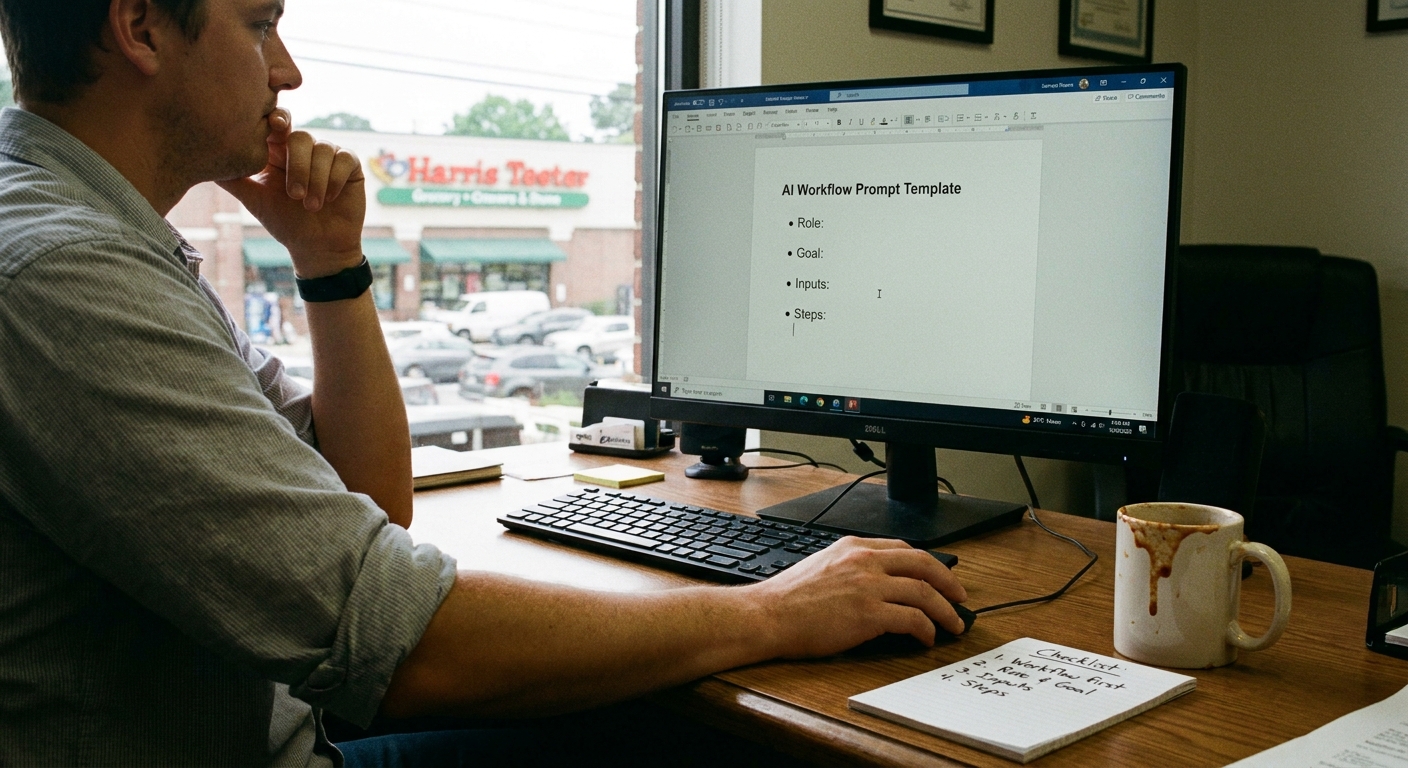
Let’s build a simple, four‑step roadmap you can actually follow.
Nothing fancy. Just clear.
Step 1: Spot the “Annoying Repeats”
Start with this question: What are the business tasks you can automate with AI workflows that annoy you the most?
Not the glamorous stuff. The annoying stuff.
Grab a sheet of paper (or the back of a Bojangles receipt, no judgment) and make three columns:
- Happens every day
- Drains my energy
- Doesn’t really need me
Then list things like:
- Answering “What are your hours / pricing / location?” emails.
- Sending the same invoice reminder over and over.
- Copy‑pasting info from web forms into a spreadsheet.
- Typing the same “here’s what to expect” message for every new client.
- Sorting leads from your website or Facebook into some kind of list.
If a task hits all three columns — it’s daily, it drains you, and it doesn’t truly need your brain — it’s a prime automation target.
Step 2: Pick Just One Area To Start
Here’s where most people get stuck: they try to automate sales, support, marketing, and operations all at once.
That’s like leaving Folly Beach at 5 p.m. on a Sunday and thinking you’ll “just swing by” Myrtle, Wilmington, and Raleigh before dark.
Choose one lane:
- Customer communication – emails, messages, FAQs.
- Back office – invoices, reminders, data entry.
- Leads and follow-ups – new inquiries, quotes, check-ins.
If you’re not sure which one to pick, ask yourself:
“If this part of my business ran smoother next month, what would make the biggest difference?”
That’s your starter lane.
Step 3: Map a Tiny Workflow (No Tech Yet)
Earlier this week, I was walking along the Riverwalk in Wilmington, watching the boats slide by and trying to explain this to a friend who runs a small cleaning company.
She said, “I hear ‘workflow’ and my brain just shuts down.”
So we did this instead.
We picked one simple thing: what happens when someone fills out the “Request a Quote” form on her website.
We sketched it out like a story:
- Person fills out form.
- She gets an email with the details.
- She reads it, copies the info into a spreadsheet.
- She writes a reply email by hand.
- Sometimes she forgets to reply. Or replies two days late.
Then we drew the AI version:
- Person fills out form.
- AI reads the form, tags it (house / office / move‑out).
- AI saves the info to a spreadsheet or CRM.
- AI drafts a reply email in her voice.
- She just glances at it and hits send (or it auto‑sends for simple cases).
That’s it. That simple drawing? That’s your workflow.
Tools come later.
Step 4: Choose Tools That Don’t Fight You
I don’t know everything, but I’ve seen enough people quit automation because they start with tools that feel like flying a plane.
When you’re looking for tools to support your ai workflow automation for small business setup, use this gut check:
- Can I understand what’s happening on one screen? If not, skip it.
- Can I test it in an afternoon? You shouldn’t need a week.
- Can I turn it off without breaking everything? You want simple on/off switches.
Most folks around here end up with some mix of:
- An AI writing tool (for emails, messages, replies).
- An automation tool (that connects your forms, email, CRM, spreadsheets).
- Your existing tools (Gmail, Outlook, QuickBooks, Square, etc.).
Here’s the kicker: your first version doesn’t have to be perfect.
It just has to save you some time without creating chaos.
The Part Most Folks Miss
Something I keep seeing with small Carolina businesses is this idea that automation has to replace the human touch.
But that’s not really the goal.
The goal is: let the AI handle the repeatable stuff so you can show up stronger where humans actually matter.
Here’s how that looks, in tiny, boring ways that actually change your day:
- Your AI sends the first “Got your message, here’s what happens next” email within 30 seconds.
- Your AI drafts invoice reminders that sound polite, not robotic.
- Your AI suggests replies to common questions so you just tweak, not type from scratch.
- Your AI moves form data into a Google Sheet automatically, so you’re not copy‑pasting at 9:30 p.m.
You still:
- Get on the phone with customers who need real advice.
- Walk job sites, do consults, meet clients, shake hands.
- Make judgment calls AI shouldn’t make.
The AI just clears the gravel off the road so you’re not driving over it all day.
A Quick Story from the Road
A while back, I was filling up at a QT off I‑85 near Spartanburg, leaning against my truck while the pump clicked away.
Guy at the next pump had a pressure washing trailer, big bold logo on the side, starting price right there: “Driveways from 149.”
We got talking.
He said, “Man, I’m great when I’m on‑site. But keeping up with texts and quotes?
That’s where I’m losing people.”
He’d get texts like:
“Hey, how much for a 2‑story house in Duncan?”
“Can you do next Wednesday?”
“Do you do decks too?”
He’d answer some, forget others, mean to follow up…and then just never quite get to it.
So we mapped one tiny workflow together, right there by the pump:
- New text or Facebook message comes in.
- AI reads it and tags it: new lead / quote question / schedule request.
- AI drafts a short reply based on his pricing sheet and service list.
- He approves the reply or tweaks it, then sends.
- AI logs the lead in a simple sheet with name, number, type of job, follow‑up date.
First week he tried it, he didn’t close everyone. Of course not.
But he told me he stopped losing “the easy ones” — the people who just needed a fast, clear answer.
Real talk: that’s all an AI automation roadmap for small businesses really is.
A list of small, repeatable wins like that.
Why I Changed My Mind
I used to think AI automation was something you bolt on after your business is “big enough.”
You know, once you’ve got staff, an office, a fancy sign, the whole deal.
But then it hit me, walking under the shade of those huge live oaks in Summerville one afternoon:
small businesses are the ones who need this the most.
You don’t have layers of managers. You don’t have a help desk in another time zone.
It’s just you. Maybe a handful of folks. Maybe your cousin working Saturdays.
That means:
- Every hour of your time actually matters.
- Every dropped inquiry actually hurts.
- Every late reply actually costs trust.
So an automation roadmap doesn’t have to be some big corporate thing.
It can just be:
- List the annoying, repeatable tasks.
- Pick one area (like customer messages).
- Sketch how it works now vs. how it could work with AI.
- Test one tiny workflow for 2–3 weeks.
- Keep what helps. Kill what doesn’t.
Then you add the next small workflow.
One at a time.
The Bottom Line
If you’ve ever felt that “I’m always behind” feeling while standing in your shop in North Charleston or sitting in traffic on I‑77 near Columbia, you’re not alone.
A clear ai automation roadmap for small businesses doesn’t start with tools or fancy jargon.
It starts with your real day:
- What drains you?
- What repeats?
- What doesn’t truly need your personal touch every time?
Start there. Automate one small workflow. Then another.
And if you’re staring at your list thinking, “I have no clue which one to pick,” that’s normal.
Take the thing you complain about the most — the one you’d happily never do again — and make that your first test.
Worst case, you turn it off and go back. Best case, you buy yourself back a few hours a week.
And honestly? Around here, a few extra hours to sit on Folly Beach, walk the dog, or actually enjoy your sweet tea while it’s still cold… that’s worth a little experimentation.